Homelab
Page last updated on Jan 16, 2026
This is an overview of my current homelab setup. Having a homelab allows me to learn about new technologies and practice building my skillset. My homelab is always changing and evolving, so I’ll do my best to keep this page updated to reflect its current state.
Mini Server Rack
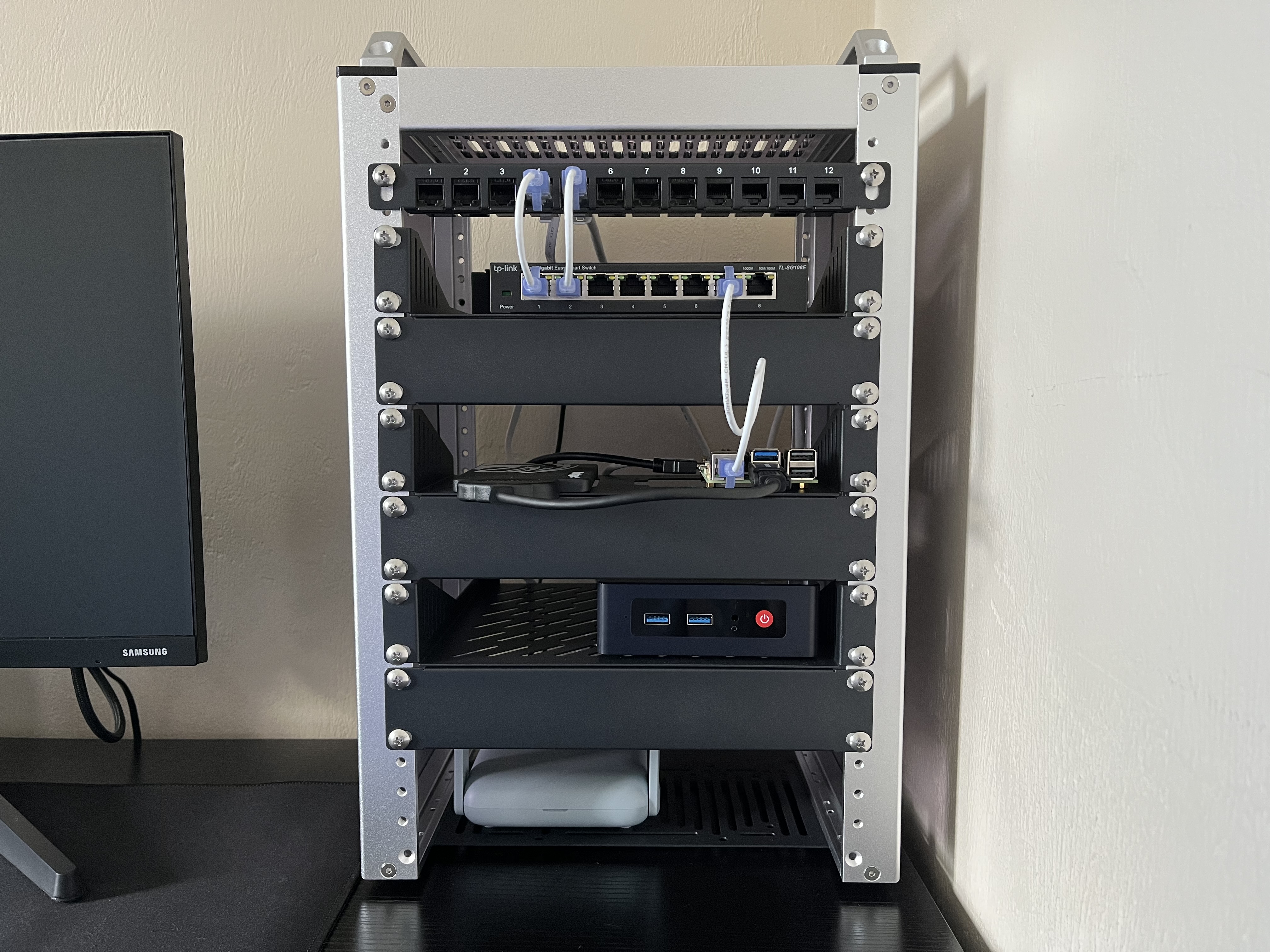
This is my DeskPi RackMate T1 10-inch 8U mini server rack. It helps keep all my homelab hardware organized and is probably the best investment I’ve made with my homelab so far.
Hardware
Here’s a detailed list of the hardware in my rack from top to bottom:
- TP-Link TL-SG108e 8-Port Gigabit Managed Switch
- (Left) KingSpec 256GB 2.5” SATA 3 SSD; (Right) Raspberry Pi 5 (8GB RAM)
- Beelink Mini S13 Mini PC
- GL.iNet GL-MT3000 Beryl AX Travel Router
Hypervisors
Proxmox
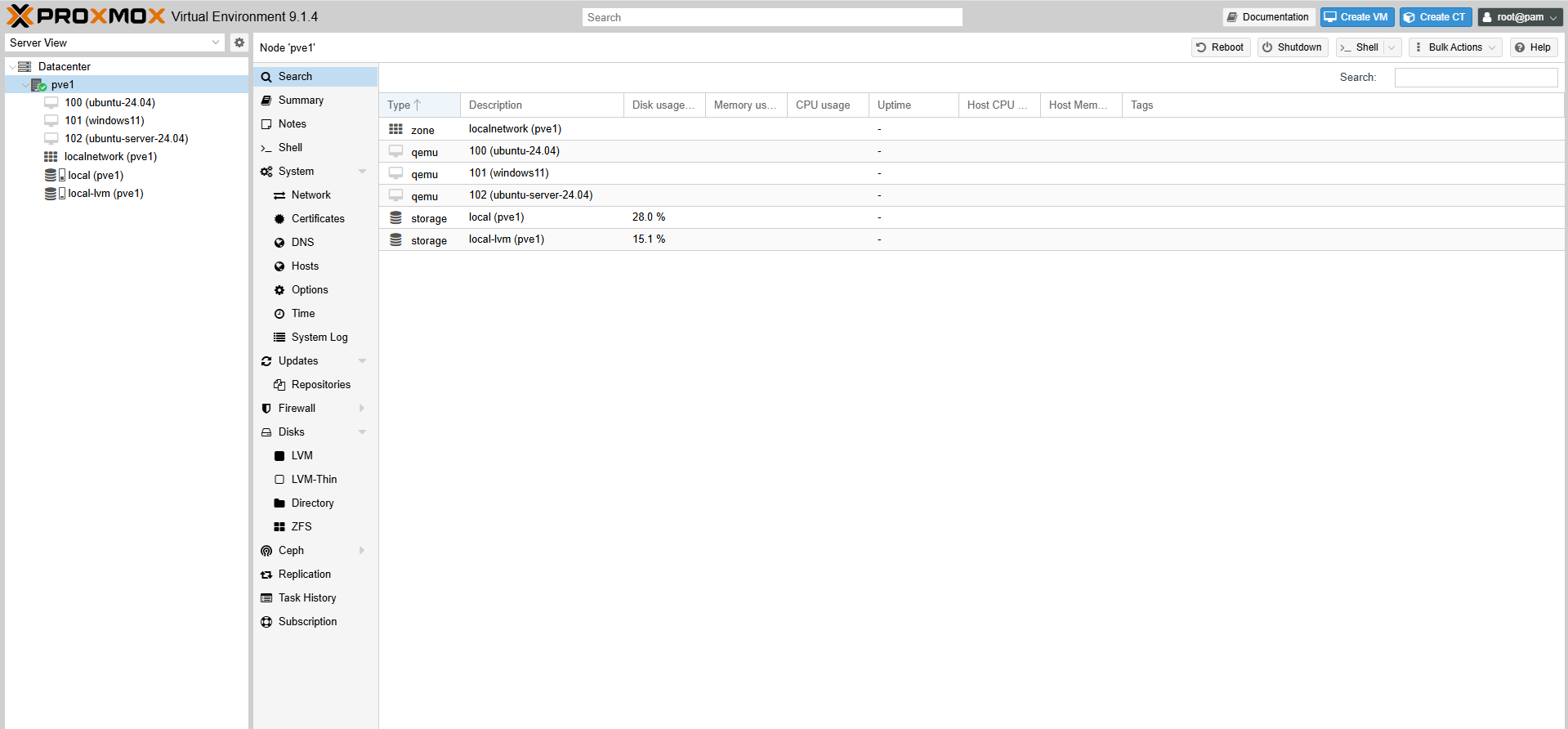
I’m running a Proxmox server on my Beelink Mini S13 Mini PC with an Intel N150 4-core CPU, 16GB of DDR4 RAM, and a 500GB M.2 SSD. This is used in my “production environment”, so to speak, and currently has several VMs, including an Ubuntu Server VM as a Docker host.
Virtual Machines:
- ubuntu-24.04
- windows11
- ubuntu-server-24.04 (Docker host)
VirtualBox
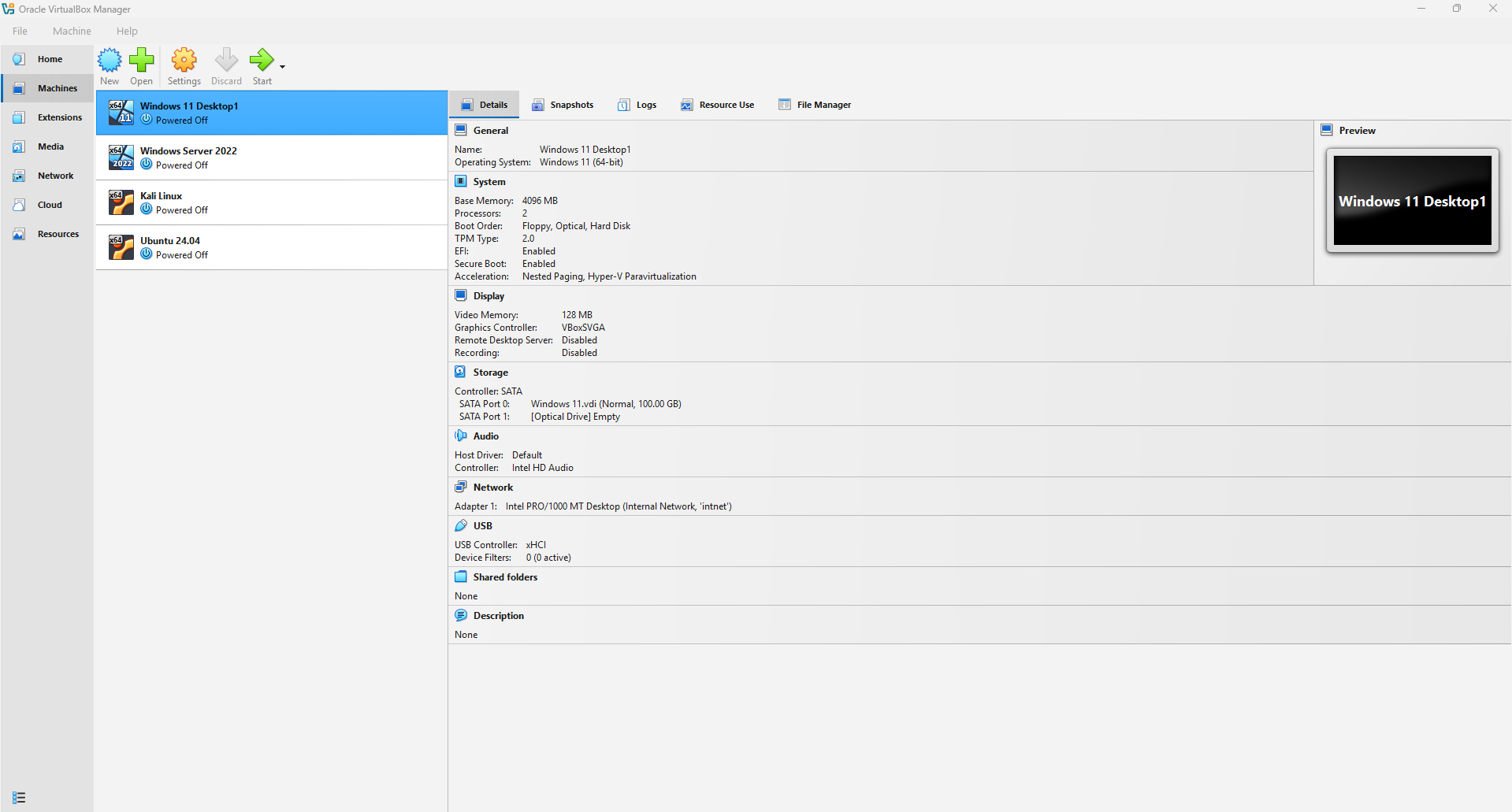
I use VirtualBox as a sandbox/testing environment to experiment with different operating systems and learn about new technologies. It’s running on my daily driver, which is an HP Omen 16 laptop with an Intel i7-12700h 14-core CPU and 32GB of DDR5 RAM. So, there are plenty of resources to allocate to VMs. As of right now, my VirtualBox environment consists of several Linux VMs and an Active Directory environment with a Windows Server 2022 DC and Windows 11 client machine.
Virtual Machines:
- Windows 11 Desktop1
- Windows Server 2022
- Kali Linux
- Ubuntu 24.04
Software/Services
Here’s a list of the software and services I’m currently running:
- Docker
- Portainer
- Pi-hole
- Nginx Proxy Manager